iCloud Storage Keeps Filling Up — The Permanent Fix
Tired of constantly hitting your iCloud storage limit? Here's why it keeps happening and how to fix it once and for all.

You upgrade your iCloud plan. A few months later it's full again. Sound familiar? Here's why it keeps happening and how to stop it for good.
Why iCloud Keeps Filling Up
The problem isn't that you need more storage — it's that your library keeps growing with no ceiling. Every photo, video, message attachment and app backup adds up. Without a system to manage it, you'll always be chasing more storage.
The average iPhone user takes over 1,500 photos and videos per year. That's on top of everything you've already accumulated over years of iPhone use.
The Temporary Fix vs The Permanent Fix
Temporary fix: Upgrade your iCloud plan. Works for a few months then you're back to the same problem.
Permanent fix: Create a system where old content moves off iCloud automatically, keeping your storage lean forever.
Step 1 — Audit What's Using Your Storage
Go to Settings → your name → iCloud → Manage Storage to see exactly what's eating your space.
For most people it's:
- Photos and videos — usually 60-80% of total usage
- iPhone backups — often 5-20GB per device
- Messages — video attachments add up fast
- iCloud Drive — documents and app data
Step 2 — Archive Old Photos Off iCloud
This is the biggest lever. Photos older than 1-2 years are memories you rarely access but don't want to delete.
The solution is to move them to an external SSD using Migrate Moments:
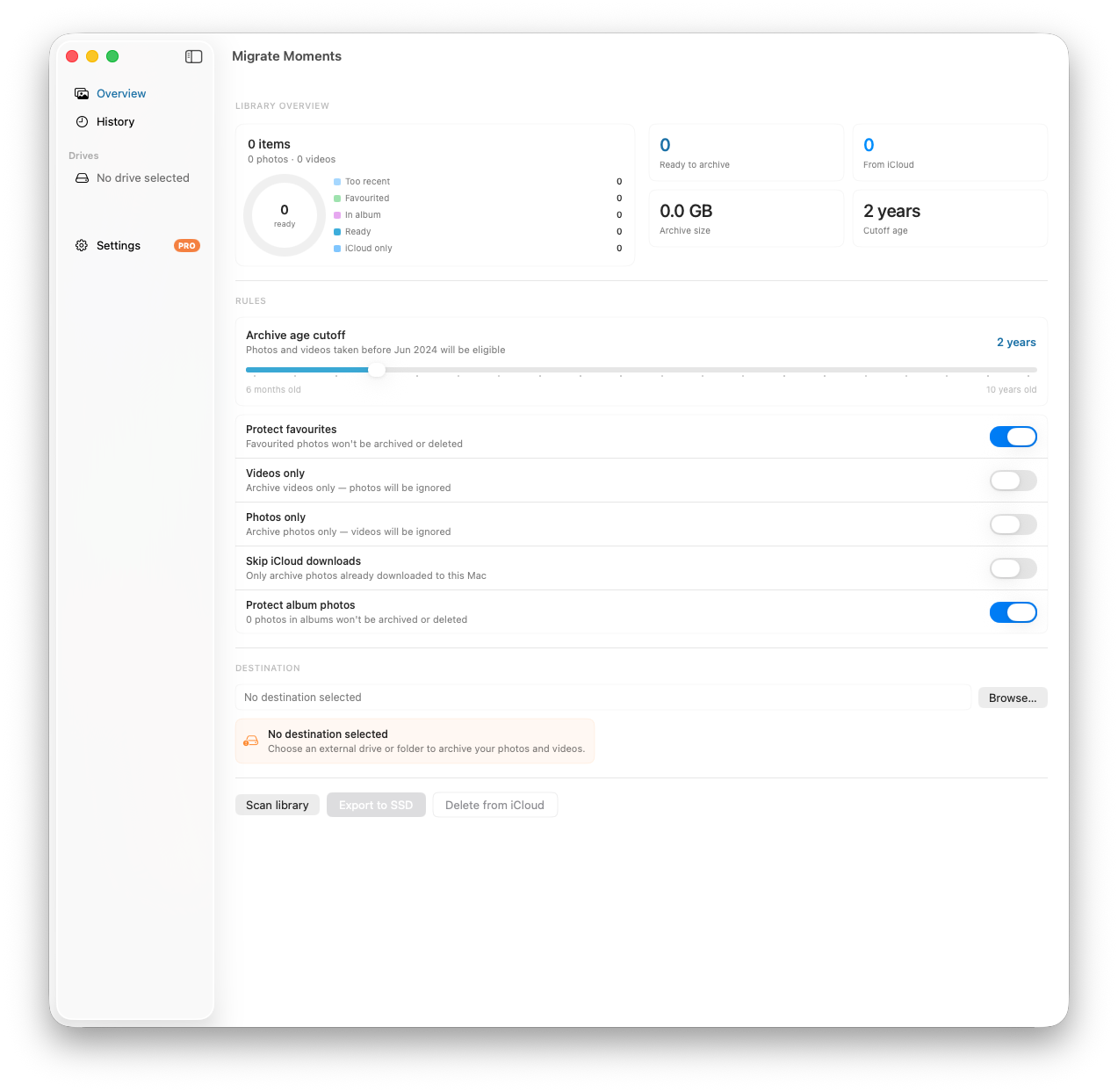
- Connect an external drive to your Mac
- Open Migrate Moments and scan your library
- Set your archive cutoff — photos older than 2 years
- Export to your SSD, organised by year and month
- Remove from iCloud once verified on your drive
How much you reclaim depends on your library — the free scan shows you before you commit.
Step 3 — Delete Old Device Backups
Go to Settings → your name → iCloud → Manage Storage → Backups and delete backups from old devices you no longer use. These can be 10-20GB each.
Step 4 — Turn Off iCloud for Apps You Don't Need
Go to Settings → your name → iCloud and toggle off apps that don't need cloud backup — games, apps you rarely use, and anything that backs up locally elsewhere.
Step 5 — Do a Yearly Archive
Set a reminder once a year to archive photos that are now 2+ years old using Migrate Moments. This keeps your iCloud permanently lean without any ongoing effort.
The Result
After following these steps, dropping to a smaller plan — or off a paid plan entirely — is a realistic outcome, and the saving repeats every year.
Related articles
Ready to free up your iCloud storage?
Download Migrate Moments free — scan your library in minutes.